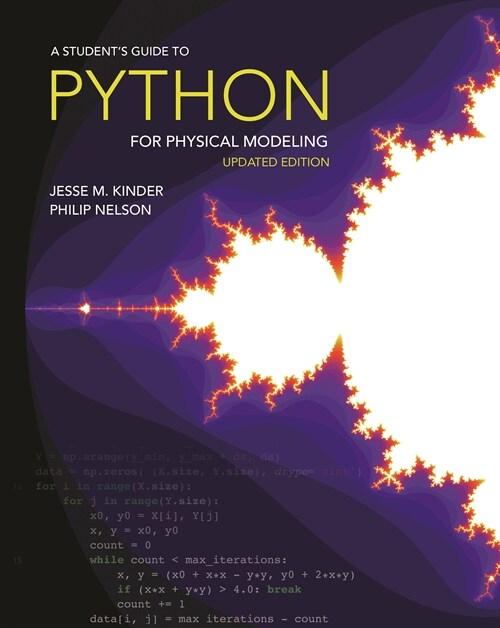
















책 이미지

eBook 미리보기
책 정보
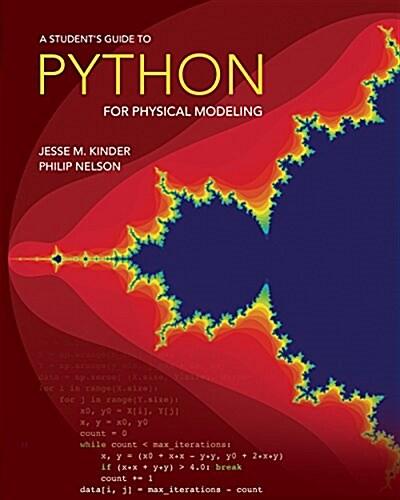
· 제목 : A Student's Guide to Python for Physical Modeling: Second Edition (Paperback, 2, School)
· 분류 : 외국도서 > 컴퓨터 > 컴퓨터 공학
· ISBN : 9780691223650
· 쪽수 : 240쪽
· 출판일 : 2021-08-03
· 분류 : 외국도서 > 컴퓨터 > 컴퓨터 공학
· ISBN : 9780691223650
· 쪽수 : 240쪽
· 출판일 : 2021-08-03
목차
- Let’s Go
- 1 Getting Started with Python
- 1.1 Algorithms and algorithmic thinking
- 1.1.1 Algorithmic thinking
- 1.1.2 States
- 1.1.3 What does a = a + 1 mean?
- 1.1.4 Symbolic versus numerical
- 1.2 Launch Python
- 1.2.1 IPython console
- 1.2.2 Error messages
- 1.2.3 Sources of help
- 1.2.4 Good practice: Keep a log
- 1.3 Python modules
- 1.3.1 import
- 1.3.2 from . . . import
- 1.3.3 NumPy and PyPlot
- 1.4 Python expressions
- 1.4.1 Numbers
- 1.4.2 Arithmetic operations and predefined functions
- 1.4.3 Good practice: Variable names
- 1.4.4 More about functions
- 1.1 Algorithms and algorithmic thinking
- 2 Organizing Data
- 2.1 Objects and their methods
- 2.2 Lists, tuples, and arrays
- 2.2.1 Creating a list or tuple
- 2.2.2 NumPy arrays
- 2.2.3 Filling an array with values
- 2.2.4 Concatenation of arrays
- 2.2.5 Accessing array elements
- 2.2.6 Arrays and assignments
- 2.2.7 Slicing
- 2.2.8 Flattening an array
- 2.2.9 Reshaping an array
- 2.2.10 T2 Lists and arrays as indices
- 2.3 Strings
- 2.3.1 Raw strings
- 2.3.2 Formatting strings with the format ( ) method
- 2.3.3 T2 Formatting strings with %
- 3 Structure and Control
- 3.1 Loops
- 3.1.1 for loops
- 3.1.2 while loops
- 3.1.3 Very long loops
- 3.1.4 Infinite loops
- 3.2 Array operations
- 3.2.1 Vectorizing math
- 3.2.2 Matrix math
- 3.2.3 Reducing an array
- 3.3 Scripts
- 3.3.1 The Editor
- 3.3.2 T2 Other editors
- 3.3.3 First steps to debugging
- 3.3.4 Good practice: Commenting
- 3.3.5 Good practice: Using named parameters
- 3.3.6 Good practice: Units
- 3.4 Contingent behavior: Branching
- 3.4.1 The if statement
- 3.4.2 Testing equality of floats
- 3.5 Nesting
- 3.1 Loops
- 4 Data In, Results Out
- 4.1 Importing data
- 4.1.1 Obtaining data
- 4.1.2 Bringing data into Python
- 4.2 Exporting data
- 4.2.1 Scripts
- 4.2.2 Data files
- 4.3 Visualizing data
- 4.3.1 The plot command and its relatives
- 4.3.2 Log axes
- 4.3.3 Manipulate and embellish
- 4.3.4 Replacing curves
- 4.3.5 T2 More about figures and their axes
- 4.3.6 T2 Error bars
- 4.3.7 3D graphs
- 4.3.8 Multiple plots
- 4.3.9 Subplots
- 4.3.10 Saving figures
- 4.3.11 T2 Using figures in other applications
- 4.1 Importing data
- 5 First Computer Lab
- 5.1 HIV example
- 5.1.1 Explore the model
- 5.1.2 Fit experimental data
- 5.2 Bacterial example
- 5.2.1 Explore the model
- 5.2.2 Fit experimental data
- 5.1 HIV example
- 6 Random Number Generation and Numerical Methods
- 6.1 Writing your own functions
- 6.1.1 Defining functions in Python
- 6.1.2 Updating functions
- 6.1.3 Arguments, keywords, and defaults
- 6.1.4 Return values
- 6.1.5 Functional programming
- 6.2 Random numbers and simulation
- 6.2.1 Simulating coin flips
- 6.2.2 Generating trajectories
- 6.3 Histograms and bar graphs
- 6.3.1 Creating histograms
- 6.3.2 Finer control
- 6.4 Contour plots, surface plots, and heat maps
- 6.4.1 Generating a grid of points
- 6.4.2 Contour plots
- 6.4.3 Surface plots
- 6.4.4 Heat maps
- 6.5 Numerical solution of nonlinear equations
- 6.5.1 General real functions
- 6.5.2 Complex roots of polynomials
- 6.6 Solving systems of linear equations
- 6.7 Numerical integration
- 6.7.1 Integrating a predefined function
- 6.7.2 Integrating your own function
- 6.7.3 Oscillatory integrands
- 6.7.4 T2 Parameter dependence
- 6.8 Numerical solution of differential equations
- 6.8.1 Reformulating the problem
- 6.8.2 Solving an ODE
- 6.8.2 T2 Parameter dependence
- 6.8.4 Other ODE solvers
- 6.9 Vector fields and streamlines
- 6.9.1 Vector fields
- 6.9.2 Streamlines
- 6.1 Writing your own functions
- 7 Second Computer Lab
- 7.1 Generating and plotting trajectories
- 7.2 Plotting the displacement distribution
- 7.3 Rare events
- 7.3.1 The Poisson distribution
- 7.3.2 Waiting times
- 8 Images and Animation
- 8.1 Image processing
- 8.1.1 Images as NumPy arrays
- 8.1.2 Saving and displaying images
- 8.1.3 Manipulating images
- 8.2 Displaying data as an image
- 8.3 Animation
- 8.3.1 Creating animations
- 8.3.2 Saving animations
- HTML movies
- T2 Using an encoder
- 8.3.3 Conclusion
- 8.1 Image processing
- 9 Third Computer Lab
- 9.1 Convolution
- 9.1.1 Python tools for image processing
- 9.1.2 Averaging
- 9.1.3 Smoothing with a Gaussian
- 9.2 Denoising an image
- 9.3 Emphasizing features
- 9.4 T2 Image files and arrays
- 9.1 Convolution
- 10 Advanced Techniques
- 10.1 Dictionaries and generators
- 10.1.1 Dictionaries
- 10.1.2 Special function arguments
- 10.1.3 List comprehensions and generators
- 10.2 Tools for data science
- 10.2.1 Series and data frames with pandas
- 10.2.2 Machine learning with scikit-learn
- 10.2.3 Next steps
- 10.3 Symbolic computing
- 10.3.1 Wolfram Alpha
- 10.3.2 The SymPy library
- 10.3.3 Other alternatives
- 10.3.4 First passage revisited
- 10.4 Writing your own classes
- 10.4.1 A random walk class
- 10.4.2 When to use classes
- 10.1 Dictionaries and generators
- Get Going
- A Installing Python
- A.1 Install Python and Spyder
- A.1.1 Graphical installation
- A.1.2 Command line installation
- A.2 Setting up Spyder
- A.2.1 Working directory
- A.2.2 Interactive graphics
- A.2.3 Script template
- A.2.4 Restart
- A.3 Keeping up to date
- A.4 Installing FFmpeg
- A.5 Installing ImageMagick
- A.1 Install Python and Spyder
- B Command Line Tools
- B.1 The command line
- B.1.1 Navigating your file system
- B.1.2 Creating, renaming, moving, and removing files
- B.1.3 Creating and removing directories
- B.1.4 Python and Conda
- B.2 Text editors
- B.3 Version control
- B.3.1 How Git works
- B.3.2 Installing and using Git
- B.3.3 Tracking changes and synchronizing repositories
- B.3.4 Summary of useful workflows
- B.3.5 Troubleshooting
- B.4 Conclusion
- B.1 The command line
- C Jupyter Notebooks
- C.1 Getting started
- C.1.1 Launch Jupyter Notebooks
- C.1.2 Open a notebook
- C.1.3 Multiple notebooks
- C.1.4 Quitting Jupyter
- C.1.5 T2 Setting the default directory
- C.2 Cells
- C.2.1 Code cells
- C.2.2 Graphics
- C.2.3 Markdown cells
- C.2.4 Edit mode and command mode
- C.3 Sharing
- C.4 More details
- C.5 Pros and cons
- C.1 Getting started
- D Errors and Error Messages
- D.1 Python errors in general
- D.2 Some common errors
- E Python 2 versus Python 3
- E.1 Division
- E.2 Print command
- E.3 User input
- E.4 More assistance
- F Under the Hood
- F.1 Assignment statements
- F.2 Memory management
- F.3 Functions
- F.4 Scope
- F.4.1 Name collisions
- F.4.2 Variables passed as arguments
- F.5 Summary
- G Answers to “Your Turn” Questions
- Acknowledgments
- Recommended Reading
- Index